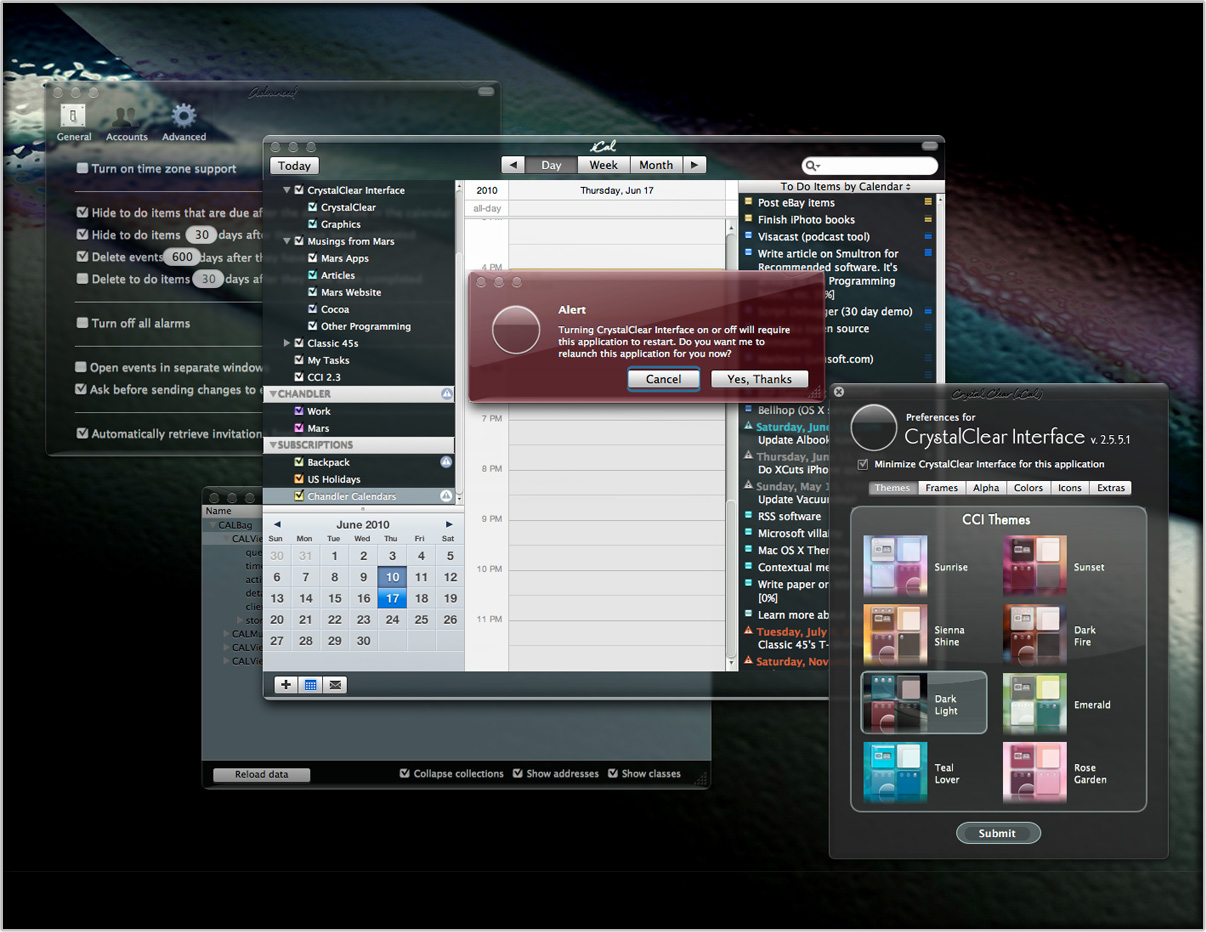
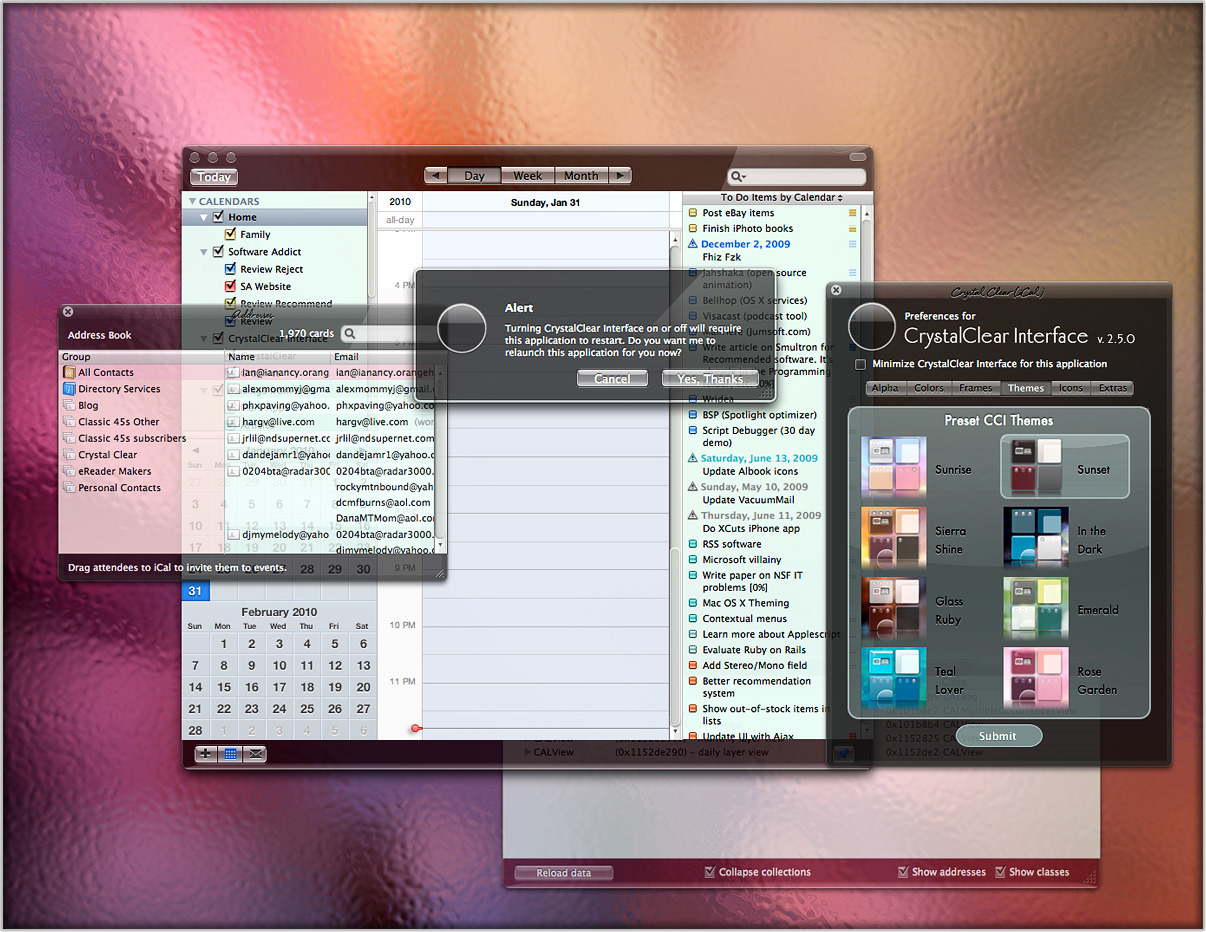
Full control over window transparency...
 Full control over window colors...
 Control over the shape and style of application windows with one of the ten build-in frames
 Color-coordinated tables, boxes, and text areas
 Beautiful etched text that changes contrast to maintain readability as you change your themes...
 Quickly switch from among 10 stunning themes to suit your mood...
 Customize your menubar using one of the eight built-in styles
 Choose between six different button styles, including Black Gloss — the theme used for Crystal Black
 Add some gratuitous interface fluff: Window animations and decorationsAnd much, much more:
Windows were meant to be clear. Apple's Dictionary defines windows as
"an opening ... that is fitted with glass or other transparent material in a frame to admit light or air and allow people to see out"
So why not let a little light shine through?
CCI lets you define how transparent you want the background windows in your current application are, as well as the windows of inactive applications.
You can change this setting anywhere from 0.99 (opaque) to 0.1 (nearly clear).
Tired of gray? CrystalClear Interface lets you create windows with any color your Mac can display. Pick a matching color right off your desktop if you want a really smooth look.
Change your window colors any time you like to suit your mood or complement your desktop.
Enjoy adding a little transparency to any color you choose... in any app!
But you can color more than just your windows. With CCI, you can set separate colors for
CrystalClear Interface lets you choose from among:
Of course, each of these frames can be further customized with its own color and alpha value (transparency).
CrystalClear Interface includes 10 prebuilt themes designed to complement different kinds of desktop pictures (including the "frosted crystal" desktops that get installed with CCI):
CCI's preset themes let you quickly and easily switch the frame style, transparency, and color of windows and text areas... all at once!
New in CCI 2.8 is a long-planned feature that lets you design, save and reuse your own custom window themes.
With CrystalClear Interface, you can easily switch among six sets of unified, fully realized button themes:
You can also swap out the system menubar, choosing one of eight striking designs that complement both the button styles and the preset themes. Four of the menubars are translucent, and four opaque. Four are dark, and four are light.
The screenshots on the right show four of the menubar styles, together with the three button themes. The images also switch among the many possible window themes you can design.
CCI also incorporates a large set of document icons based on the Crystal Albook series, which you can install or uninstall to suit your taste.
CrystalClear Interface has many more tricks up its sleeves. Some you may notice right away, but others are more subtle. Here are a few of those tricks:




These are both major releases that introduce new graphics and theming options.
 Quick theme switching. A new "Customize A Base Theme" panel provides an interface for selecting all components of your CrystalClear Interface at one time. Here you can set your choices for button theme, menubar style, windows preset theme, and crystal desktop picture. Of course, you can change any of these individual settings later using the CCI global menu and the CCI Preferences panel.
CrystalClear Interface 2.8 supports Mac OS X 10.6.8 ("Snow Leopard"), Mac OS X 10.7 ("Lion") (versions 10.7.4 or 10.7.5), and Mac OS X 10.8 ("Mountain Lion") (versions to 10.8.5). OS X Mavericks is not supported.
CrystalClear Interface is no longer available to download or purchase.
04/12/15

Safari 4 (or newer) and its open-source sibling, WebKit, implement CSS features that take hours off the time required to build a classy website. Previously, you had to use JavaScript, an image editor, or both, together with complex CSS styles to achieve effects such as drop-shadows, rounded corners, gradient backgrounds, or reflections. With the CSS advances in WebKit, you now just need to apply some simple CSS styles!
Besides saving development time, this also means fewer graphics, less code, and less download time. If you're using an older version of Safari, or of Firefox, Opera or IE derivatives, come back and view this site with WebKit or a WebKit-based browser such as Safari 4.0, Safari 5.0, or Google Chrome, or with your iPhone, iPad, or iPod Touch.